Food and Drink
 Shopping
 Transportation
 Accommodation
 Useful Tips
 By Destination
 By Interests
 Pre-departure Guides
 Travel Updates


At cafés, restaurants, and neighborhood shops across China, a QR code by the register is a common sight. For many everyday purchases, all you need to pay is your phone.
In September 2026, Tencent, the company behind WeChat, launched TenPayGo, a standalone payment app it developed for international visitors.
In this guide, we’ll walk you through downloading the app, linking a bank card, and making your first payment in China.
What is TenPayGo?
TenPayGo connects to the Weixin (WeChat) Pay merchant network. You can use it to pay at participating shops, restaurants and attractions across mainland China with an eligible overseas payment method. The app handles payments through a separate account, so you can use it without setting up WeChat.
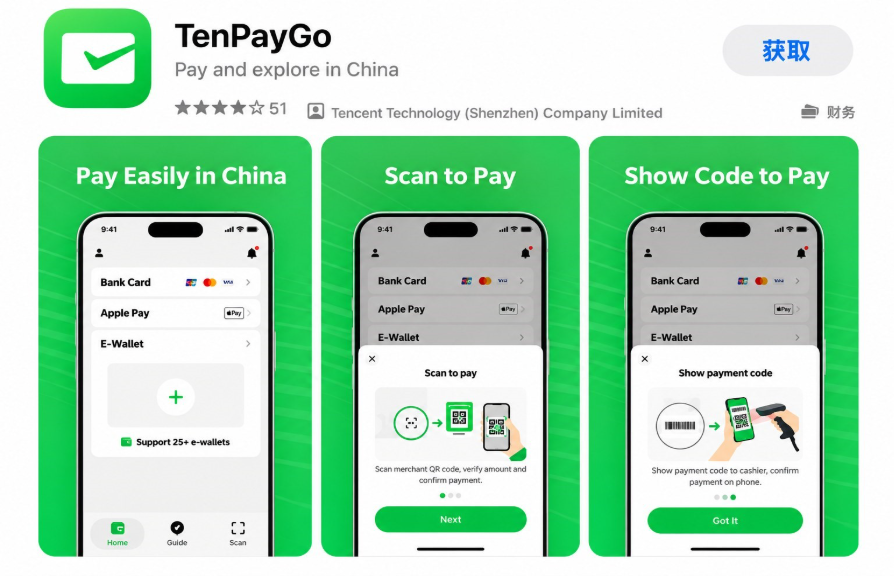
Installing the TenPayGo app
We recommend installing the app and setting up your account before you travel. That gives you time to sort out any issues with registration or card linking before you arrive.
To get started:
- Open the App Store or Google Play and search for “TenPayGo.”
- Check that you’ve selected the official Tencent app, then download it.
Registering for TenPayGo
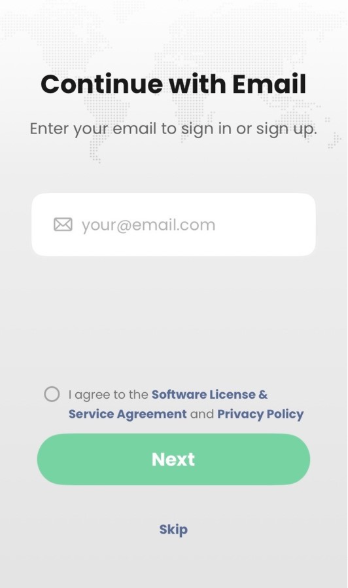
You can sign up with an email address. You don’t need a Chinese phone number to register.
To register:
- Open TenPayGo and choose the option to create an account.
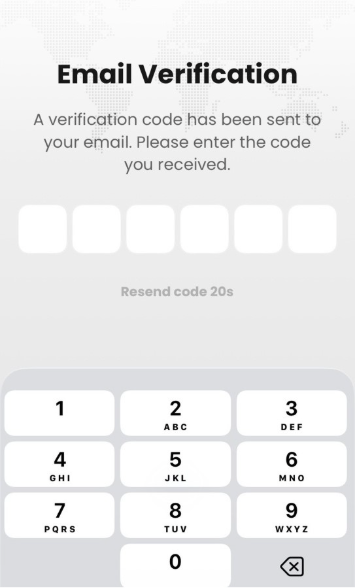
- Enter your email address and complete the email verification step.
- Follow the remaining on-screen instructions to finish setting up your account.
Do I need to verify my identity?
If TenPayGo asks you to verify your identity during setup or later, have your passport handy.
Linking an international bank card
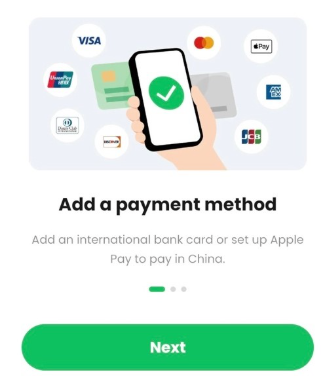
TenPayGo supports eligible bank cards issued outside mainland China, including Visa and Mastercard. Apple Pay and selected overseas digital wallets may also be available, depending on your region, device and payment provider.
How to add your bank card
- Open TenPayGo and go to the payments or card management section.
- Select the option to add a bank card and enter your card details.
- Complete any security checks required by your bank.
- Check that your card appears in the app. You can then use it to pay at participating merchants.
What if my bank card doesn’t work?
If you’re having trouble linking your card or making a payment, try these steps:
- Check that you’ve entered your card details correctly.
- Make sure your card is enabled for online and international payments, and check your banking app for any approval requests.
- If your card is still being declined, contact your card issuer or try another eligible card or payment method.
We recommend setting up a backup payment app, such as Alipay, before you travel.
How to pay with TenPayGo
- Open TenPayGo at the checkout.
- Follow the merchant’s QR code setup:
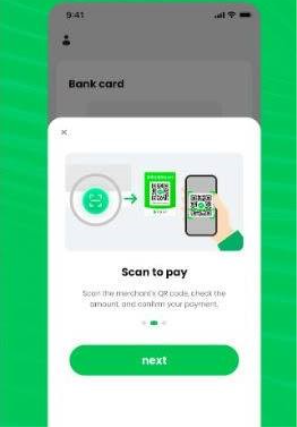
- If the merchant displays a QR code, scan it in the app. Enter the amount or confirm the total shown, then check the merchant name and amount before authorizing payment.
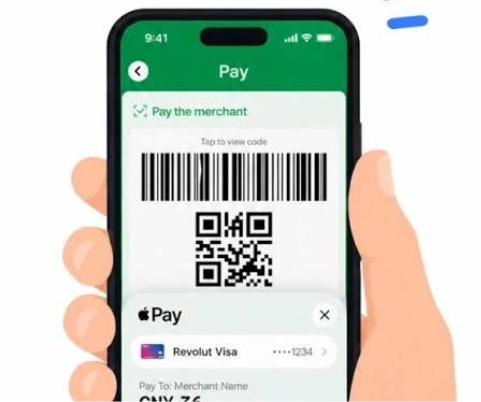
- If the cashier asks for your QR code, pull it up in the app and show it to them to scan.
- Check that the app shows the payment went through before you leave.
What else can you do with TenPayGo?
- Take public transportation in Shenzhen. Eligible travelers can use the Shenzhen Tong QR code in TenPayGo on participating buses and metro services without buying a physical transit card. This feature is currently specific to Shenzhen.
- Translate menus and identify objects. TenPayGo includes AI tools that can help you read a menu or identify something you come across during your trip.
- Access tourist tax refund services. In Shenzhen, eligible travelers can access a tax refund service through TenPayGo.
TenPayGo, Alipay or WeChat Pay?
- TenPayGo is a straightforward option for everyday purchases, from a coffee to a meal out.
- Alipay combines payments with travel services such as DiDi ride-hailing. For help getting started, see our guide to using Alipay in China.
- WeChat Pay is built into WeChat, so it’s handy if you already use the app to message guides, hotels or friends. Some mini-programs and services may require additional verification. See our step-by-step guide to setting up WeChat Pay.
For a first trip to China, we’d set up TenPayGo for everyday payments and Alipay as a backup. That also gives you access to DiDi when you need a ride.
Frequently asked questions
Can I use TenPayGo everywhere in China?
You can pay at participating merchants on the Weixin Pay network. Whether a payment goes through can depend on the merchant, your payment method and the type of transaction.
Are there fees or spending limits?
Fees and spending limits can vary by payment method and provider. Check your card’s terms before you travel, as your issuer may charge foreign transaction or currency conversion fees.
By Pauline Lambers